I recently saw a question on reddit asking what the best way to optimize images was. Everyone seemed to respond with a different answer, with some recommending apps, some websites, and others CLI utilities.
For the last couple of years, I’ve relied soley on tinyjpg and compressor.io. However, the reddit question got me thinking:
- What are all the cross-platform image compressors?
- How well do they compress with different settings?
- What is the quality of the image the comes out?
- What are the smallest file sizes that can be achieved with only a minor loss in quality?
Overview
| Name | App | Online Uploader | Uploader Limit | API |
|---|---|---|---|---|
| ImageOptim | Free (macOS only) | Yes | N/A | Paid |
| imagemin | Free (all platforms) | No | N/A | No |
| tinyjpg | No | Yes | 5MB | Paid |
| Abraia | No | Yes | 5MB | Paid |
| compressor.io | No | Yes | 10MB | Paid |
imagemin
Imagemin works by utilizing plugins such as jpegtran, jpeg-recompress, mozjpeg and pngquant.
Each plugin has its own settings that can be configured. This is a great article on how jpeg-recompress settings work:Quality, min and max with jpeg-recompress
tinyjpg
I’ve used tinyjpg.com for a while now. They support compressing pngs or jpegs. This compressor is on the more aggressive side, so you need to watch the output quality.
compressor.io
compressor.io is an online uploader. It supports compressing svgs, pngs, jpgs, and gifs, with the option to go for lossy or lossless compression for pngs and jpgs. It seems to be on the less aggresive side, but has good output quality.
Abraia
I had never heard abraia optimizer before writing this article, but I decided to add it in last second. I did have an image return corrupted (at 37 bytes) https://unsplash.com/photos/7ACuHoezUYk.
ImageOptim
According to their website, their app doesn’t do lossy compression by default. Also, their app isn’t on the App Store, so you need to download it from the website.
Comparing compression
We’ll have four different jpgs images to compress. The output size and quality of the resulting image will be compared between the compressors. Each section will have a comparison tool, where the left side will show the original image, and the right will show the compressed version.
SSIM
Apparently, there’s a neat way to compare how similar two images are called Structured Similarity (SSIM). For each comparison, I’ll also be including the SSIM number for each compressed image. The package I used, ssim.js, gives a simple explanation of how it works:
“Get a 0 to 1 score on how similar two images are. The closer SSIM is to 1 the higher the similarity.”
- ssim.js
Settings
Name                 |  Settings
---------------------|-------------------------------------
recompress-low       |  jpeg-recompress with quality=low min=40 max=85
recompress-medium    |  jpeg-recompress with quality=medium min=60 max=85
mozjpeg              |  mozjpeg with quality=95
mozjpeg-medium       |  mozjpeg with quality=80
jpegtran             |  jpegtran
jpegtran-progressive |  jpegtran with progressive=true
imageoptim           |  https://imageoptim.com/online with quality=medium
compressorio         |  https://compressor.io
tinyjpg              |  https://tinyjpg.com
One thing you’ll note, is the mozjpeg actually outputs larger images than the original. I’m not sure how that happened or if I’ve done it wrong. The repo for how I compressed the images lives at:
Image: Leaves
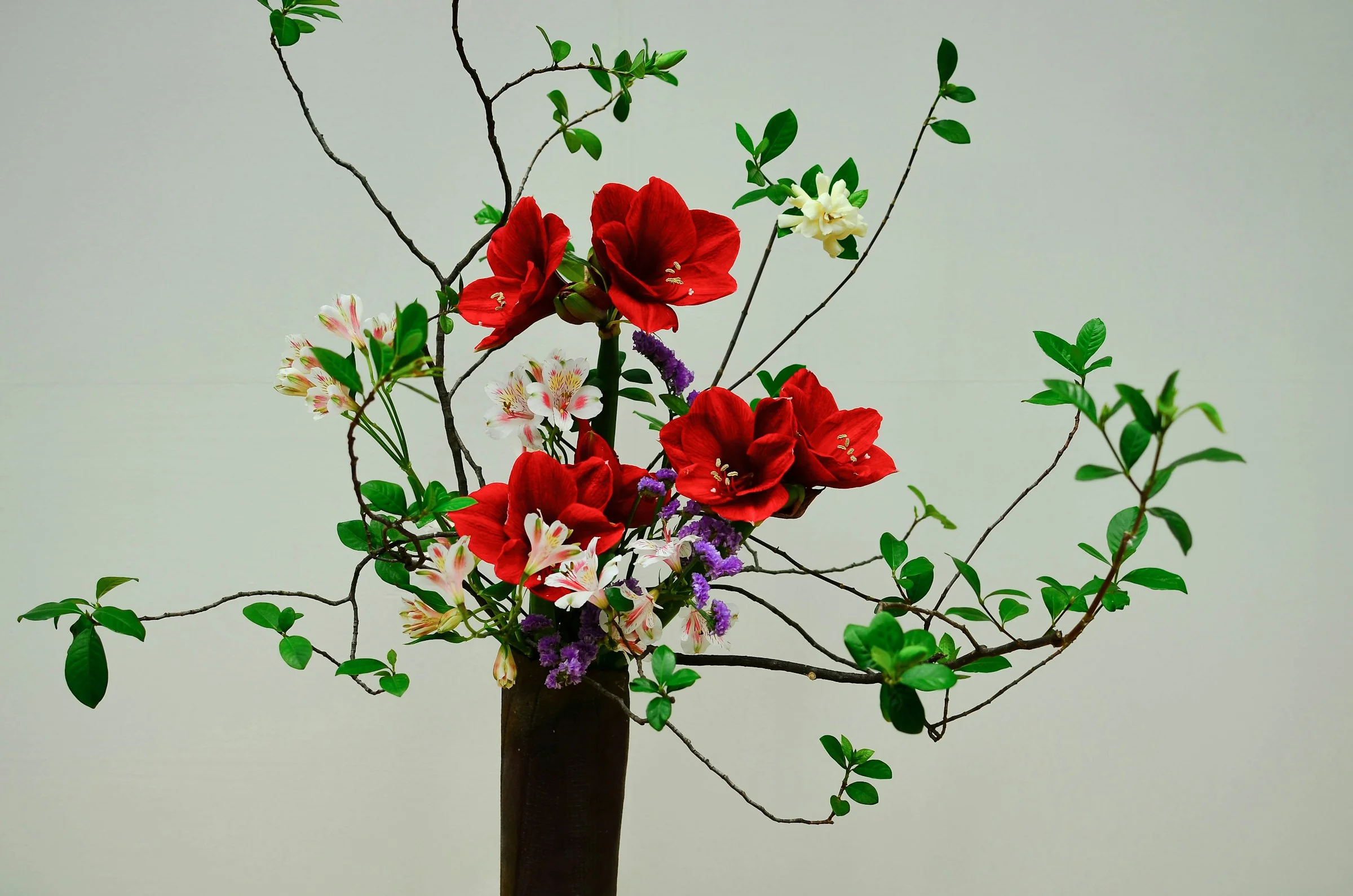
If you look closely, you can see that both abraia, recompress-low and tinyjpg changed some of the darker greens into a lighter green. Interestingly, those three also have the lowest SSIM score. However, I don’t see any notable artifacting produced by any of the three, and they did produce the smallest file sizes.
The rest look fairly close to the original, and have very close SSIM scores. I would say imageoptim and mozjpeg-medium both take the win here for most smallest file size without changing the quality of the image.
| Name | Size | SSIM |
|---|---|---|
| Original | 862 KB | N/A |
| abraia | 292 KB | 0.99891 |
| compressorio | 611 KB | 0.99977 |
| imageoptim | 358 KB | 0.99969 |
| jpegtran | 815 KB | 1.00000 |
| jpegtran-progressive | 812 KB | 1.00000 |
| mozjpeg | 1002 KB | 0.99998 |
| mozjpeg-medium | 391 KB | 0.99969 |
| recompress-low | 185 KB | 0.99840 |
| recompress-medium | 573 KB | 0.99982 |
| tinyjpg | 253 KB | 0.99871 |
Image: Work Harder
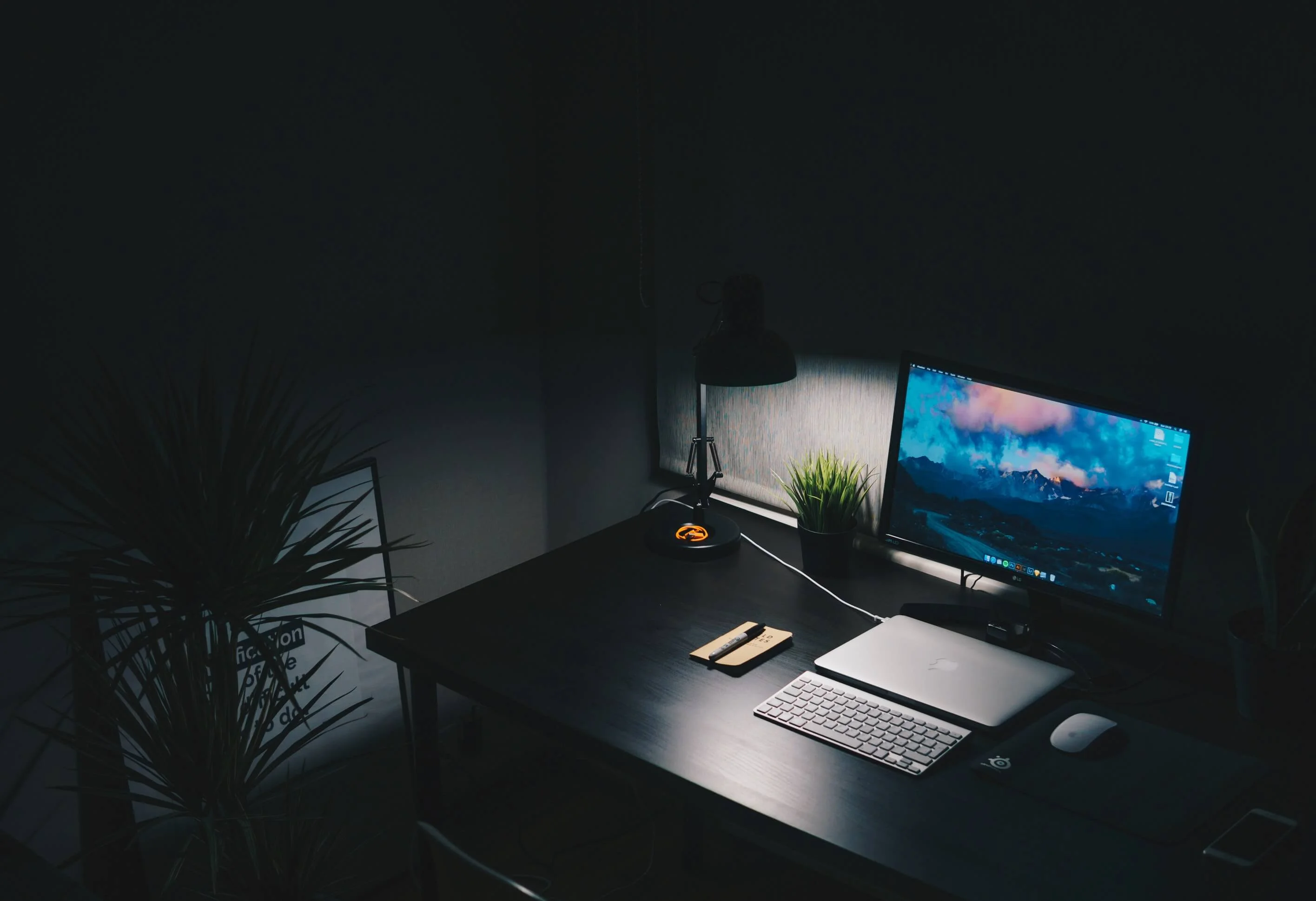
The aggressive compression from abraia, recompress-low, and tinyjpg created fairly obvious artifacting and gradient banding. Besides jpegtran, the rest of them created artifacting, but isn’t to a much lesser extent. It’s really only noticeable if I turn my monitor brightness all the way up.
At this point, I would say recompress-medium and mozjpeg-medium had the best compression while still retaining fairly good quality, although artifacting is still noticeable if you look hard enough. imageoptim and compressorio did very well, but produced a small amount of pixelated banding, but isn’t as noticeable.
| Name | Size | SSIM |
|---|---|---|
| Original | 962 KB | N/A |
| abraia | 325 KB | 0.99817 |
| compressorio | 531 KB | 0.99959 |
| imageoptim | 299 KB | 0.99903 |
| jpegtran | 896 KB | 1.00000 |
| jpegtran-progressive | 878 KB | 1.00000 |
| mozjpeg | 1530 KB | 0.99998 |
| mozjpeg-medium | 399 KB | 0.99923 |
| recompress-low | 200 KB | 0.99876 |
| recompress-medium | 545 KB | 0.99962 |
| tinyjpg | 228 KB | 0.99924 |
Image: Flowers
While switching back and forth between the tinyjpg and the original in different tabs in Firefox, I noticed a difference in color that wasn’t noticeable in Chrome. As it turns out, Firefox renders several of the compressed versions with more saturation, but Chrome doesn’t.
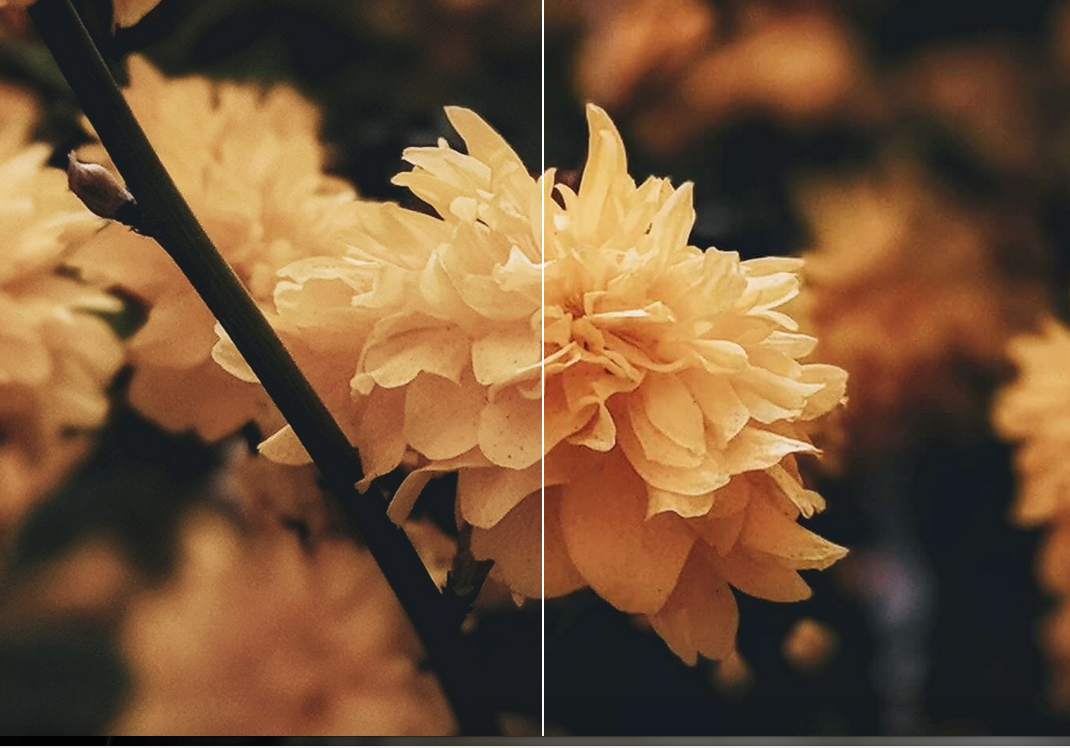
As far as bytes saved, recompress-low took a good chunk out of the file size, and it certainly shows. It made the image look quite pixelated, while tinyjpg is looks acceptable. To my eyes, the others look the same as the original.
| Name | Size | SSIM |
|---|---|---|
| Original | 1174 KB | N/A |
| abraia | 527 KB | 0.99947 |
| compressorio | 900 KB | 0.99990 |
| imageoptim | 513 KB | 0.99982 |
| jpegtran | 1137 KB | 1.00000 |
| jpegtran-progressive | 1095 KB | 1.00000 |
| mozjpeg | 1584 KB | 0.99999 |
| mozjpeg-medium | 611 KB | 0.99982 |
| recompress-low | 217 KB | 0.99829 |
| recompress-medium | 530 KB | 0.99982 |
| tinyjpg | 329 KB | 0.99940 |
Image: Coffee
Once again, if you view this in Firefox, you’ll see a more saturated image on the right for several of the compressed versions. I imagine that’s a bug with Firefox. In any case, I don’t see any noticeable artifacting for any of the compressed images.
| Name | Size | SSIM |
|---|---|---|
| Original | 824 KB | N/A |
| abraia | 329 KB | 0.99875 |
| compressorio | 613 KB | 0.99965 |
| imageoptim | 390 KB | 0.99942 |
| jpegtran | 817 KB | 1.00000 |
| jpegtran-progressive | 782 KB | 1.00000 |
| mozjpeg | 1055 KB | 0.99997 |
| mozjpeg-medium | 428 KB | 0.99943 |
| recompress-low | 250 KB | 0.99821 |
| recompress-medium | 570 KB | 0.99971 |
| tinyjpg | 308 KB | 0.99879 |
Results
tinyjpg
tinyjpg has fairly aggressive compression, which, depending on the image, produces noticeable artifacting and color shifting. Whether or not the artifacting is acceptable is up to you. I have a hunch jpeg-recompress and mozjpeg could be tuned to get slightly closer to tinyjpg's compression without as much loss in quality.
Abraia
abraia did about the same as tinyjpg. It reduced the file sizes quite well, but also produced barely noticeable artifacting and color shifting, aside from the Work Hard image, of course, which had farily obvious gradient banding.
jpegtran
According to the SSIM scores, it truly is a lossless compressor. However, I’m usually looking to save a lot more bytes than what it does, so I’m not really interested in this compressor. However, if I need a lossless compressor, I know where to look.
jpeg-recompress and mozjpeg
Again, I’ve no idea why mozjpeg with default settings outputs a file greater than the input size. However, with a quality setting of 80, it reduced the file size quite well while retaining nearly identical quality. jpeg-recompress also did well with the “medium” settings.
Basically, for these two plugins, it’s not, “These plugins are too aggressive or not aggressive enough”. The quality and size reductions are the result of what settings you pass to them. They can either achieve good compression while sacrificing a good deal of quality, compress decently (as compared to tinyjpg) while retaining good quality, or somewhere in between.
imageoptim
Out of all of them, I would say imageoptim, with the preset medium settings, did the best at reducing the file size while retaining as much of the quality as possible. I used their website uploader, so I’m not quite sure what settings their app has.
Conclusion
Interestingly, even for different images compressed by the same compressor, the quality of the images differed. Some looked pixelated and some didn’t. This just goes to show that you need to be always look at the end result to make sure it doesn’t look the output quality is acceptable.
To decide which compressor is best for you, or even what settings you choose for the compressor, you have to decide what you value. This is a seesaw decision. Do you value bytes saved or image quality? As we’ve seen, some of the compressors can be tuned to be somewhere in the middle.
Personally, I value bytes saved reduction, and I highly doubt, the majority of users aren’t going to notice the minor artifacting. I’ll probably do more testing, but imageoptim and jpeg-recompress or mozjpeg all look like great choices for the most bytes saved while retaining quality, if the settings are right.